




Mastering Android Development. A Complete Guide for Beginners and Beyond.
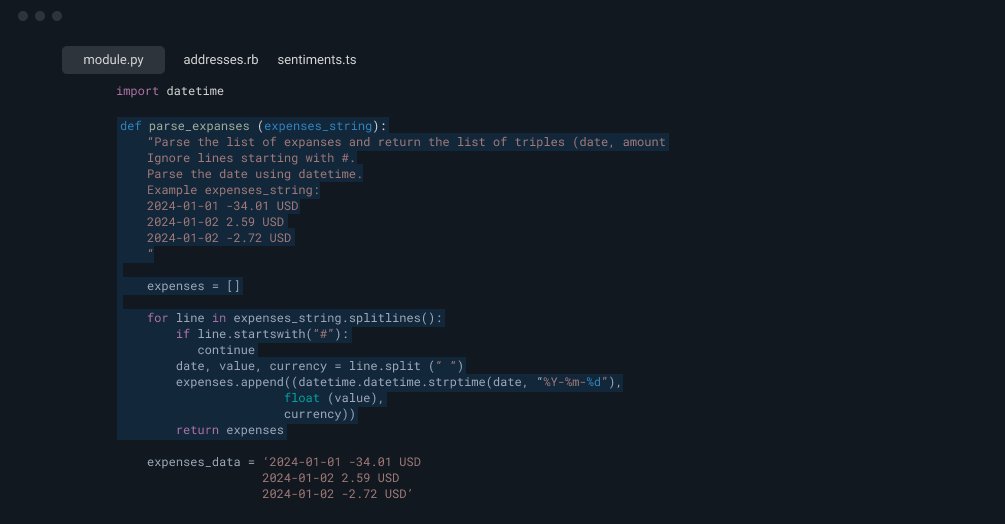
Android Studio Android Studio is the official Integrated Development Environment (IDE) for Android development. Built on JetBrains’ IntelliJ IDEA, it provides tools for code editing, debugging, performance tuning, and UI design.
ConstraintLayout and ViewGroups
An Activity represents a single screen with a user interface. Each activity is a critical component in Android applications and is managed by the activity lifecycle.
Used for storing small amounts of data such as user preferences or simple configurations in key-value pairs.
Work Manager is the recommended solution for background work that needs guaranteed execution.






Still have questions? Browse documentation or submit a ticket.
Android development is the process of creating applications for devices running the Android operating system. These devices include smartphones, tablets, smart TVs, wearables, and even in-car systems. Developers typically use Android Studio and write code in Kotlin or Java.
The main programming languages for Android development are:
Kotlin (recommended by Google)
Java (widely used, especially in legacy projects)
Android Studio is the official Integrated Development Environment (IDE) for Android development. It provides powerful tools for code editing, debugging, UI design, testing, and performance monitoring. It’s built on IntelliJ IDEA and supports both Java and Kotlin.
Jetpack Compose is a modern toolkit for building native Android UIs using Kotlin in a declarative way. It simplifies UI development by removing the need for XML layouts and provides a more intuitive approach to building dynamic interfaces.
The Android Software Development Kit (SDK) includes all the necessary tools, libraries, and APIs to build and test Android apps. It includes ADB (Android Debug Bridge), AVD (Android Virtual Device), and various platform tools.
The availability of out-of-the-box integrations with our existing tooling is a big part of AI Foundaries appeal. AI Foundaries really helps bring Developer to life.

Challenges in Android Development
Data Storage and Persistence
Used for storing small amounts of data such as user preferences or simple configurations in key-value pairs.
For more complex data storage, Android provides:
SQLite: Lightweight, relational database.
Room: A modern abstraction layer over SQLite, providing compile-time checks and seamless data access.
DataStore is a new and improved alternative to SharedPreferences, offering better type safety and asynchronous data handling using Kotlin Coroutines.
Most Android apps communicate with back-end servers using RESTful APIs and exchange data in JSON format.